Every business traveler knows the scenario: you arrive at your hotel after a long flight, open your laptop, and discover the Wi-Fi crawls while your “desk” turns out to be a narrow shelf wedged next to the minibar. Suddenly you’re hunting for a café with reliable internet an hour before an important video call. Poor hotel wi-fi and workspaces can quietly derail an entire trip.
This guide walks you through everything you need to check before and after booking. We’ll look at why a hotel room often doubles as a full-time office, how to test Wi-Fi quality before you commit, what a genuinely usable in-room workspace looks like, and what business lounges and meeting rooms can add. We’ll also cover how to pick the right room category and location, and what backup plans to keep in your bag when the network falls short. By the end, you’ll know exactly how to book a hotel that supports your workday instead of fighting it.
Why Hotel Wi-Fi and Workspaces Make or Break a Business Trip
Remote and hybrid work have changed what a hotel room needs to be. For many travelers, the room is no longer just a place to sleep between meetings — it’s a full-time office for the length of the stay. Calls, spreadsheets, presentations and team chats all happen from that one space, so its connection and furniture matter as much as the mattress.
The upload speed trap
Here’s the detail most travelers miss: download speed is only half the story. Hotels love to advertise fast downloads for streaming, but video calls depend on upload speed. If your upload is weak, your video freezes and your voice cuts out even when everything else loads instantly. As a rough benchmark, stable HD video calls need around 3-5 Mbps upload, and business-grade hotel Wi-Fi should deliver at least 50 Mbps download and 10 Mbps upload per room. Many hotel networks fall short of that upload figure, which is why calls fail precisely when you need them most.
The hidden cost of working from bed
The second problem is physical. When the bed is the only workspace, you spend days hunched over a laptop with no back support and no screen at eye level. On a one-night stay you might cope; on a multi-day trip, that posture turns into neck pain, back pain and fading focus by mid-afternoon. A proper desk and chair aren’t luxuries for business travelers — they’re the difference between ending the trip productive and ending it exhausted.
How to Test Hotel Wi-Fi Before You Book
Most Wi-Fi disasters are predictable — and preventable with a little research before you book. A weak connection rarely announces itself at check-in; it shows up mid-trip, when a client call freezes or a large file refuses to upload. Treat the connection like any other hotel amenity and verify it the same way you’d verify airport transfer times: with direct questions and concrete answers, not marketing promises on a booking page. Here are four steps that take less than an hour and can save your entire trip.
- Email the hotel for real numbers. Ask specifically how many Mbps per room the Wi-Fi delivers, both download and upload. A reply of “free Wi-Fi in all rooms” tells you nothing; a serious business hotel can usually quote figures. Compare the answer against business-grade expectations of at least 50 Mbps down and 10 Mbps up per room.
- Read reviews with Wi-Fi in mind. Filter recent guest reviews for mentions of Wi-Fi reliability and video calls. One complaint is noise; a pattern of “calls kept dropping” over the last few months is a warning sign worth taking seriously. Pay attention to reviews from guests who mention working remotely, since they test the network far more intensively than vacationers do.
- Test on arrival evening. Run a speed test in your actual room the evening you check in, between 18:00 and 22:00, when congestion peaks as all guests stream and call. A network that performs at noon may struggle at night, so test when it matters. If speeds fall short during this window, raise it with the front desk right away rather than discovering the problem during an important call the next morning.
- Check what it costs and what tiers exist. Confirm whether Wi-Fi is included in your rate or charged separately, and ask whether a premium tier is available for business guests. Some hotels reserve their fastest connection for paid or loyalty tiers, so the free option may not reflect what you can actually get.
If the hotel can’t or won’t answer your questions before booking, that’s information too. Properties that take business guests seriously usually respond quickly with specifics, while vague answers often signal a network that hasn’t been upgraded in years. A short email exchange before you commit can spare you days of frustration — and if the answers disappoint, move on to a hotel that will give them.
What a Proper In-Room Workspace Looks Like
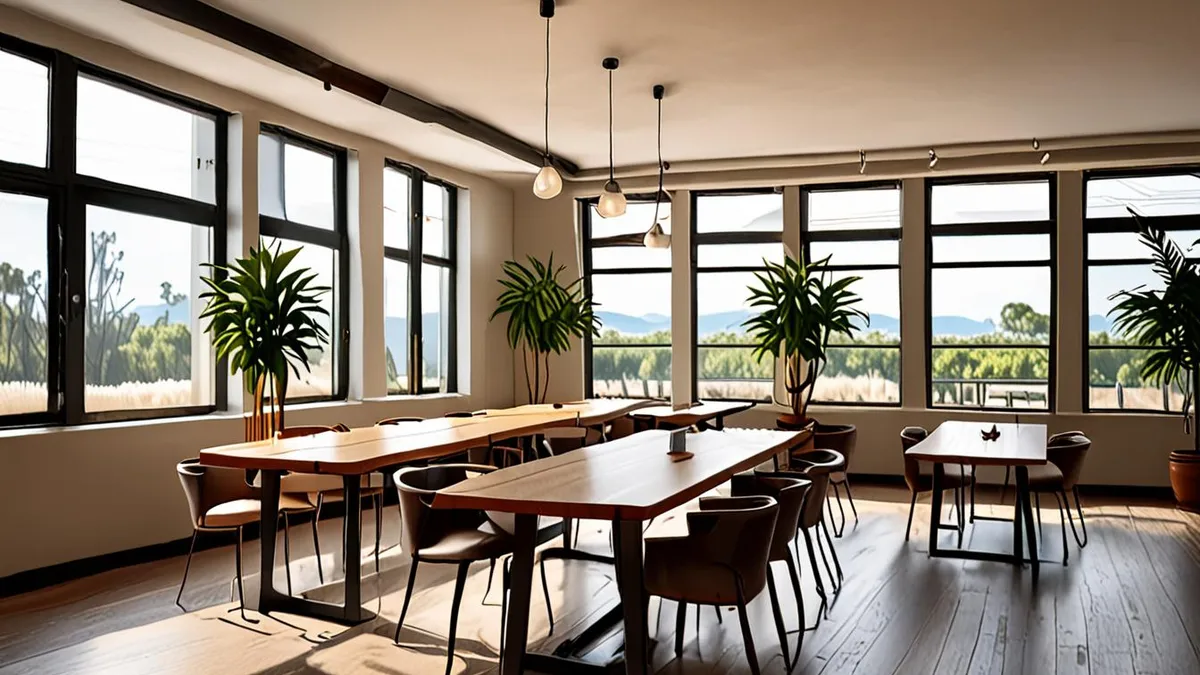
Photos rarely show the workspace honestly, so you need a mental checklist before you book. The single most important item is a real desk: aim for at least 100 cm wide, which gives you room for a laptop, a notebook and a coffee without stacking things on top of each other. Just as important is the chair — a proper desk chair, not a bedroom stool or the edge of the bed. Many hotels now list room photos with the desk visible; if you can’t see one, ask.
Beyond the desk itself, think about how you actually work. You’ll be plugging in, lighting your face for calls and maybe adding a laptop stand to raise your screen to eye level. That requires more than a sliver of surface against a wall. Use this checklist when evaluating a room:
- Power within reach. Sockets or USB ports should sit at or near the desk, so you’re not stretching a charger across the room or working on battery all day.
- Task lighting. A dedicated desk lamp or well-lit corner lets you work in the evening without straining your eyes — and lights your face properly on video calls.
- Room to set up properly. There should be enough space for a laptop stand and an external mouse, so you can sit upright instead of hunching.
- A call spot off the bed. The desk and chair should work for video calls, so you never have to take a client meeting balanced on the mattress with the camera pointing at the ceiling.
If a hotel’s standard rooms can’t meet these basics, its business or long-stay categories usually can — that’s worth checking before you settle for less.
Hotel Wi-Fi and Workspaces Beyond the Room: Lounges and Meeting Rooms
Even the best in-room desk has its limits. After a few hours hunched over a laptop in a small room, most business travelers welcome a change of setting, and that is exactly where hotel business lounges earn their keep. They tend to be quieter than the lobby during the day, and most offer free coffee, tea and printing, which saves you a trip to a copy shop before a client meeting.
Ask whether lounge access is included with your room rate or sold as an upgrade, since policies differ between hotel chains. Also check the lounge’s opening hours and whether it fills up in the morning, because a lounge that is packed at 9:00 is no quieter than your room.
Meeting rooms for small groups
If you need to host clients or run a workshop, look for a hotel with proper meeting facilities. Many business hotels offer rooms sized for 4-8 people, typically priced somewhere in the range of €50-200 per half day. Confirm what is included in that price: whiteboard, screen, video conferencing setup and catering can vary a lot between properties, so get the details in writing before you book.
Co-working style lobbies are another option worth checking. Some modern hotels design their ground floor as a flexible work area with long shared tables and plenty of sockets. If you are a freelancer or hybrid worker who just wants a change of scene between calls, this can be more comfortable than a stuffy room, and you can usually order lunch without leaving your seat.
Choosing the Right Room Category and Location for Work
Where you sleep matters almost as much as how fast the Wi-Fi is. Business, executive or long-stay room categories usually come with a genuinely usable desk, a proper office chair and, in many hotels, access to the business lounge. The price difference is often modest compared to booking a meeting room elsewhere or losing a morning to back pain, so it is worth comparing categories before you settle on the cheapest rate.
Room placement is the other half of the equation. A beautiful room next to the elevator bank turns every video call into an exercise in pausing and repeating yourself. When you book, add a note to your reservation or email the hotel directly with your requests. Specific asks work far better than vague ones, so use a list like this:
- Away from elevators and ice machines: the constant hum and clunk of both is the most common noise complaint on business floors, and it sits right in the frequency range of your microphone.
- A higher floor: rooms above the fourth or fifth floor typically pick up far less street noise from traffic, bars and delivery trucks, especially in dense city centers.
- An inner courtyard view in busy districts: if the hotel sits on a main road or nightlife strip, a courtyard-facing room trades the view for a much quieter night’s sleep and calmer morning calls.
- A floor away from event spaces: ballrooms and conference floors mean chatter, catering carts and elevator traffic; ask the hotel where your room sits relative to them.
Finally, think about location, not just the hotel itself. A hotel slightly closer to your meeting district may cost a bit more per night, but it can save you an hour of commuting every day. Over a three or four night trip, that is half a working day recovered, which usually justifies the difference in rate.
Backup Plans When Hotel Wi-Fi and Workspaces Fall Short
No matter how carefully you vet a hotel, networks fail at the worst moment, usually ten minutes before a client presentation. The travelers who stay calm are the ones who packed a fallback before they left home. A small travel router can turn a single wired or weak wireless connection into your own private network, which also helps with devices that connect poorly to hotel captive portals. If you travel light, your phone’s hotspot is often faster and more stable than the hotel network anyway, provided you have a decent data plan that works at your destination.
Do your homework on the neighborhood before you fly, too. A ten minute walk to a café with solid Wi-Fi can rescue an afternoon, but only if you know it exists. Check maps and co-working apps for options near your hotel, and note their opening hours and whether they require a day pass or a purchase. Then build your own safety net with a few habits:
- Download everything heavy in advance: presentation decks, spreadsheets and demo videos should live on your laptop and phone before you need them, so a bandwidth drop never blocks a meeting.
- Keep an offline copy of your calendar and contacts: if the network drops entirely, you still know where to be and who to call, ideally from a phone number stored on your device rather than in a cloud app.
- Carry the right cables and a power bank: a backup connection is useless if your laptop battery dies or your phone cannot charge while tethering, so pack a charger for every device you rely on.
- Know your roaming options: check with your mobile operator about data packages at your destination, or consider an eSIM, so your hotspot works from the moment you land.
With one backup connection, offline copies of your critical files and a plan B location within walking distance, a slow hotel network becomes an inconvenience rather than a crisis. That peace of mind is worth the twenty minutes it takes to set up.
Wrapping Up: Booking a Hotel That Works as Hard as You Do
Nobody books a business trip hoping to spend it hunting for a café with a free table and a decent signal. Yet that is exactly what happens when travelers arrive to find slow hotel Wi-Fi and nothing but a bed to work from. The fix is simple: verify Wi-Fi speeds and desk setup before booking, not after arrival. Ask the hotel direct questions, read reviews from fellow business guests, and treat the room as the office it will become.
Once you are booking, prioritize business room categories, quiet room placement away from elevators, and lounge or meeting room access. And keep a backup connection plan—your phone’s hotspot and a downloaded presentation—so a weak hotel network never derails your workday. If this guide helped you plan a smoother trip, leave a comment or share it with a colleague who travels for work.